Uninstall apps with speed and ease
Having many apps in your PC usually isn’t a big problem, but if you happen to install a faulty or defective app, it might cause problems for you in the future. The most common problem that people encounter is the slowing down of their computer, but if they are particularly unlucky, they might experience something more damaging such as crashing or total breakdown. For this reason, it’s good to have a robust software removal tool to make it easier to uninstall apps. One such utility is the Revo Uninstaller Pro developed by the VS Revo Group. If you’re having trouble keeping track of your installed apps, the Revo Uninstaller Pro has many features to make it easier for you.
Top Recommended Alternative

Installation and Basic Features
For both Pro and Free versions, installation is quite simple and easy. Just download Revo Uninstaller Pro and follow the standard installation procedure. It’ll be up and running in no time.
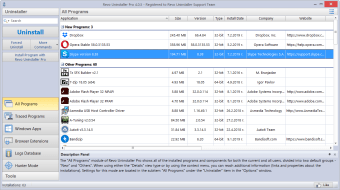
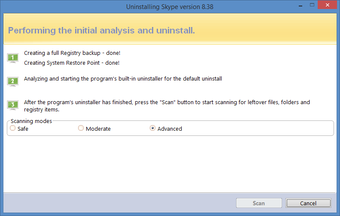
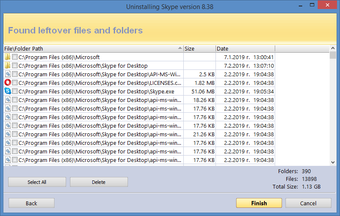
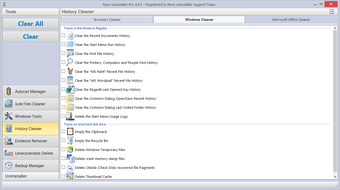
Revo Uninstaller Pro is similar to its free counterparts, but it contains many high-value-added features. The utility provides users with powerful tools to manage apps. This includes the ability to stop conveniently, delete, or uninstall apps among others. Also included in its basic features is the ability to scan and clean leftover data from a standard uninstall program process. This includes cleaning junk files, history, and evidence.
One powerful tool that the Revo Uninstaller has is the Hunter Mode where users can use a special cursor to click and choose which apps should be uninstalled quickly. There is also a free Revo Uninstaller Portable version that can be carried around with a USB stick.
Revo Uninstaller VS Revo Uninstaller Pro
Even if basic features enumerated above are available for both Free and Pro versions of Revo Uninstaller, the Pro version has a lot of great additional features that make it worth the purchase.
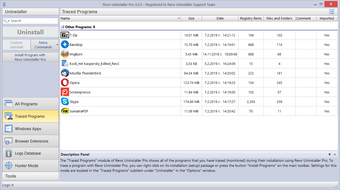
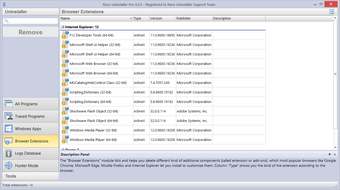
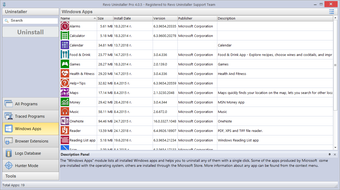
With the Pro version, you can uninstall Windows apps that come pre-installed with the operating system. You can also remove browser extensions using the Pro version. If you’re having trouble removing remnants of previously uninstalled programs, you can use Revo Uninstaller’s Forced Uninstall feature to get rid of remaining data. You can also uninstall multiple applications in a row. If you want to have a list of your installed apps, you can use the tool to export a list in text, HTML, or Excel format.
Powerful and Useful
A powerful uninstaller is a necessary tool to have on any computer, and the Revo Uninstaller Pro is undoubtedly one of the software at the top of the game. You can use it not just to quickly uninstall apps, but also to completely remove any traces of them without doing it manually by yourself. It can also be used to manage the behavior of your apps and clean your computer from any junk. If you’re looking for a great uninstaller to keep your machine clean, fast, and functional, the Revo Uninstaller Pro is a top choice.